 Dartmole
Projects and mocks
A mock answers a call in place of your backend. Point it at a request, write the response, switch it on, and the next matching call from your app gets that response, with a status and a delay you choose. The backend never sees the request.
Mocks are files in the repository of the app you are debugging, not settings inside Dartmole. They are reviewed in pull requests, live on a branch, and reach your teammates when they pull. Dartmole edits them; your repository stores them.
Projects
A project is your app's folder. On the Mocks tab, choose Import
project and pick the folder with your app's pubspec.yaml. Dartmole keeps
the mocks in .dartmole/mocks/ inside it, and creates that folder if it is
not there yet, so you can commit it straight away.
Pick the app's folder itself, not .dartmole: the macOS open panel hides
folders whose names start with a dot.
- One project is active at a time. Its name sits at the top of the Mocks tab, and only its mocks answer calls. Switch with the menu next to the name.
- Reveal opens the mocks folder in Finder.
- Forget removes the project from Dartmole and leaves its files alone.
- If the folder disappears, say you deleted a checkout or moved the repo, the project shows folder is missing until you import it from its new place.
The Mocks tab
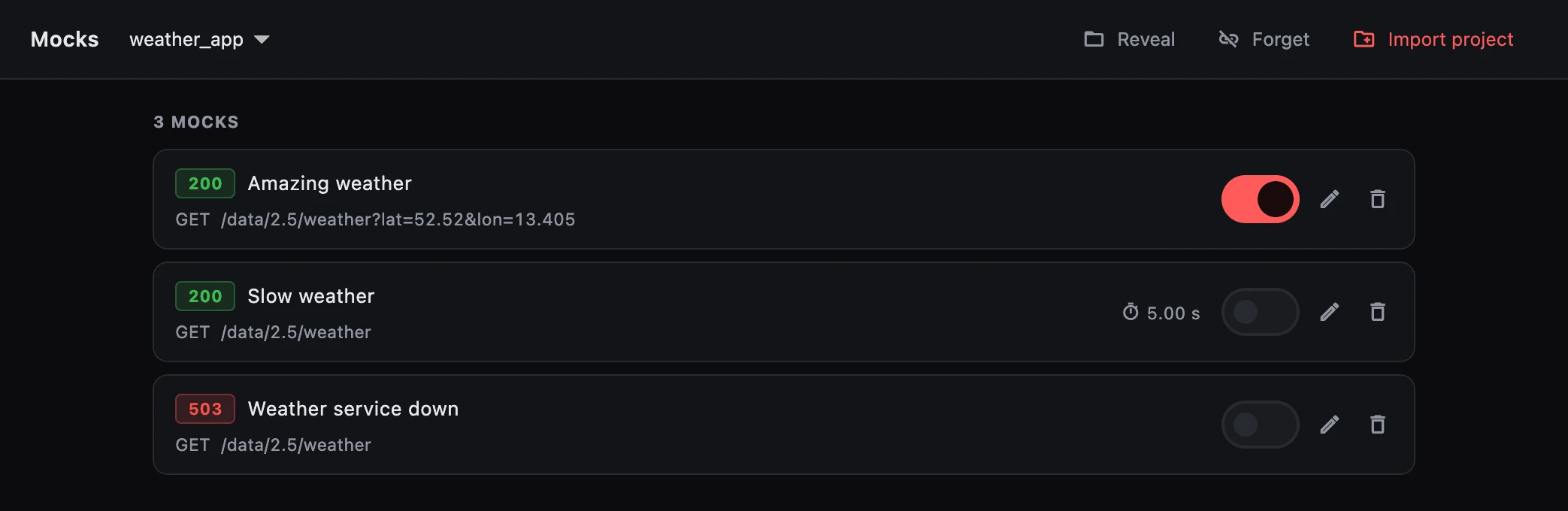
- Mocks arrive switched off. Use the switch to turn one on. Whether a mock is on is remembered on your Mac and never written to the file, so pulling a teammate's mocks cannot change your traffic by surprise.
- That memory goes by file name. Renaming
slow-weather.mockswitches it off. - Changes on disk show up straight away: edit a file in your own editor, or switch branches, and the list follows.
- A file that cannot be read is listed under could not be read, with the line that is wrong, rather than quietly ignored.
- The bin deletes the mock's file, after asking, along with any body file that belongs to it.
Make a mock from a real call
The quickest way to a mock is a call your app has already made.
- On the Proxy tab, select the call.
- Choose Save as mock (the ⚡ button at the top of the call).
- Change what you need: the status, the body, a header, a delay. Then save.
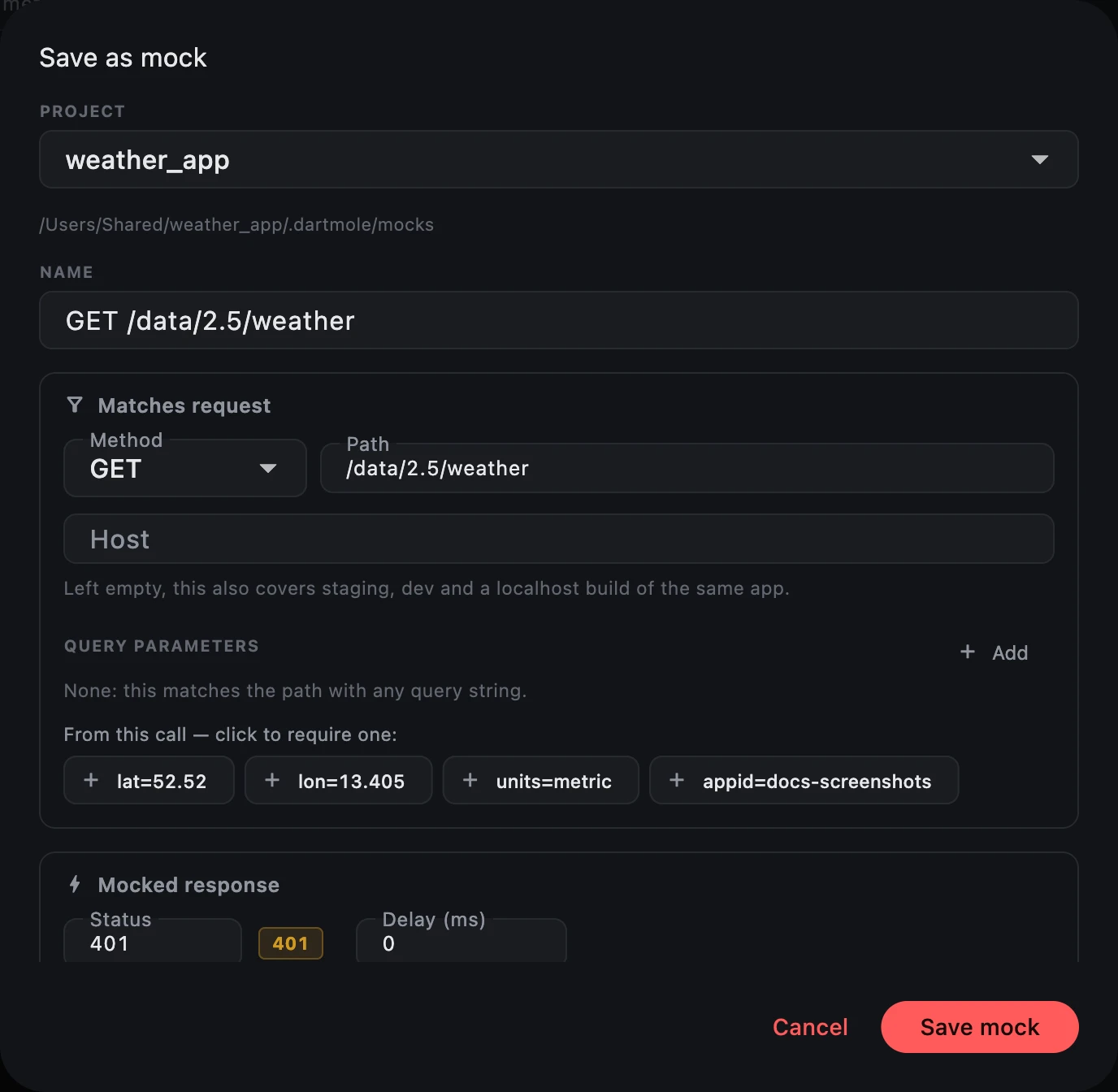
What Dartmole fills in, and why:
- Method and path, but no host. Left empty, the host matches anything, so
the mock also covers your staging, dev and localhost builds. Type a host
only when you mean just that one;
*works as a wildcard. - No query parameters. A query string is where tokens tend to end up, so
none are copied. The call's parameters are offered underneath. Click one to
require it. Names that look like credentials, such as
access_token, are marked. - Only the headers that describe the response.
Authorization,Set-Cookieand other credentials are left out, and so is everything about that particular delivery, such asDate,Serverand rate limits. The dialog lists what it dropped.
Credential headers and query parameters are dropped, but Dartmole cannot tell what in a body is private. Read the body before you commit a mock.
The body editor checks JSON as you type and points at the line that breaks. It only warns. A mock that returns broken JSON is a fair way to find out how your app copes.
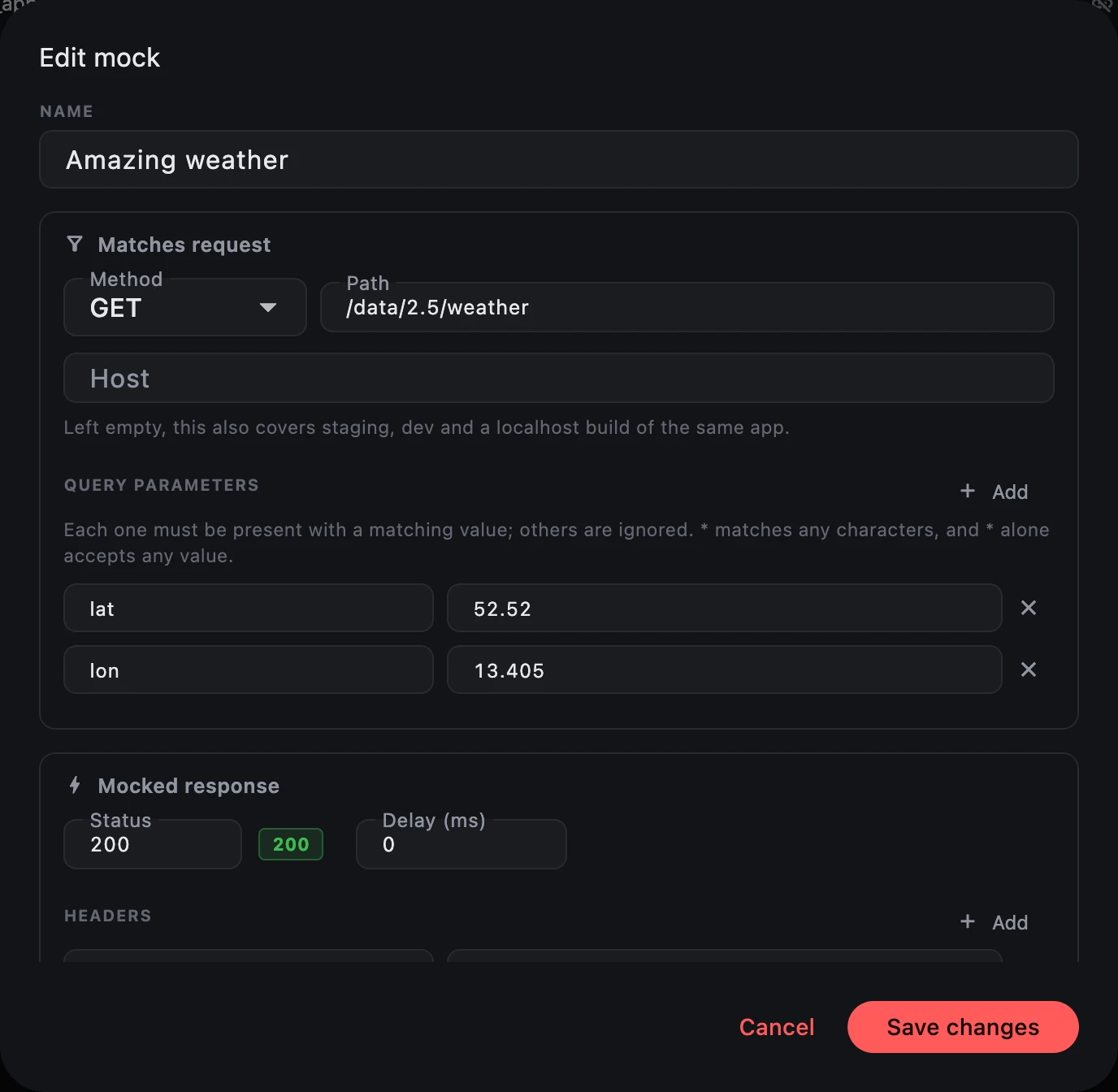
To change a mock later, use its pencil on the Mocks tab. It opens the same editor with everything a mock file can hold.
You can also write a mock by hand, or paste the output of curl -i below a
rule. The mock file format has every rule.
See what answered
A mocked call carries a ⚡ next to its status on the Proxy tab, and its details say which mock answered.
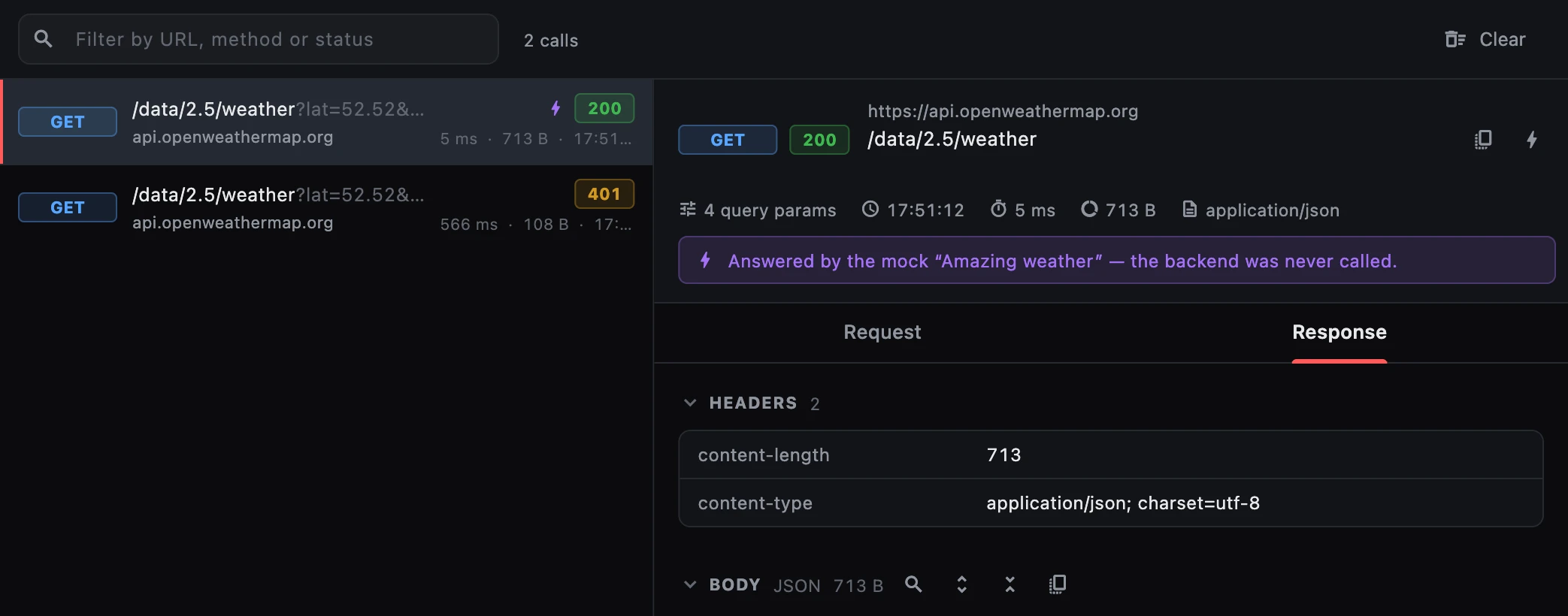
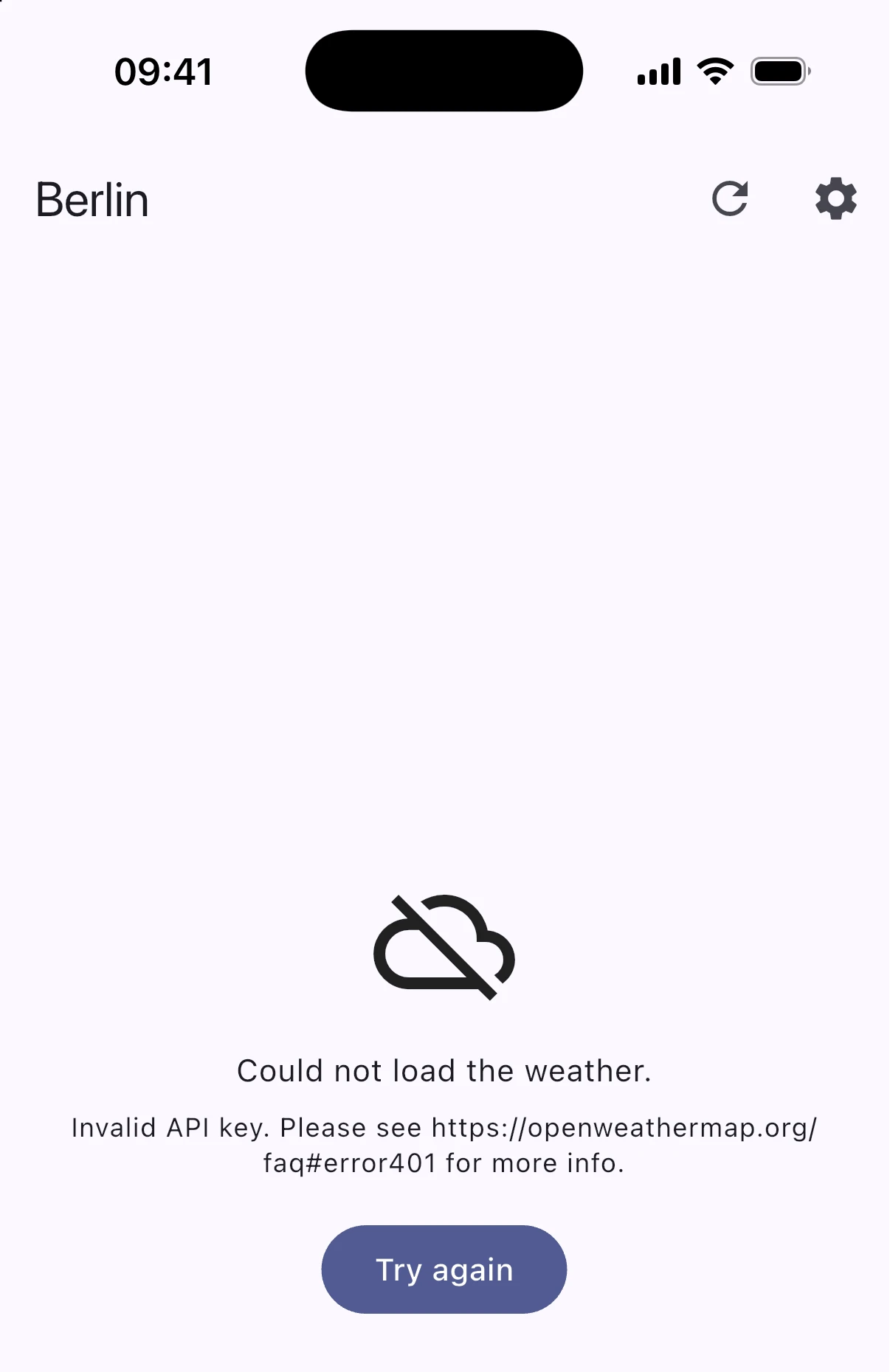
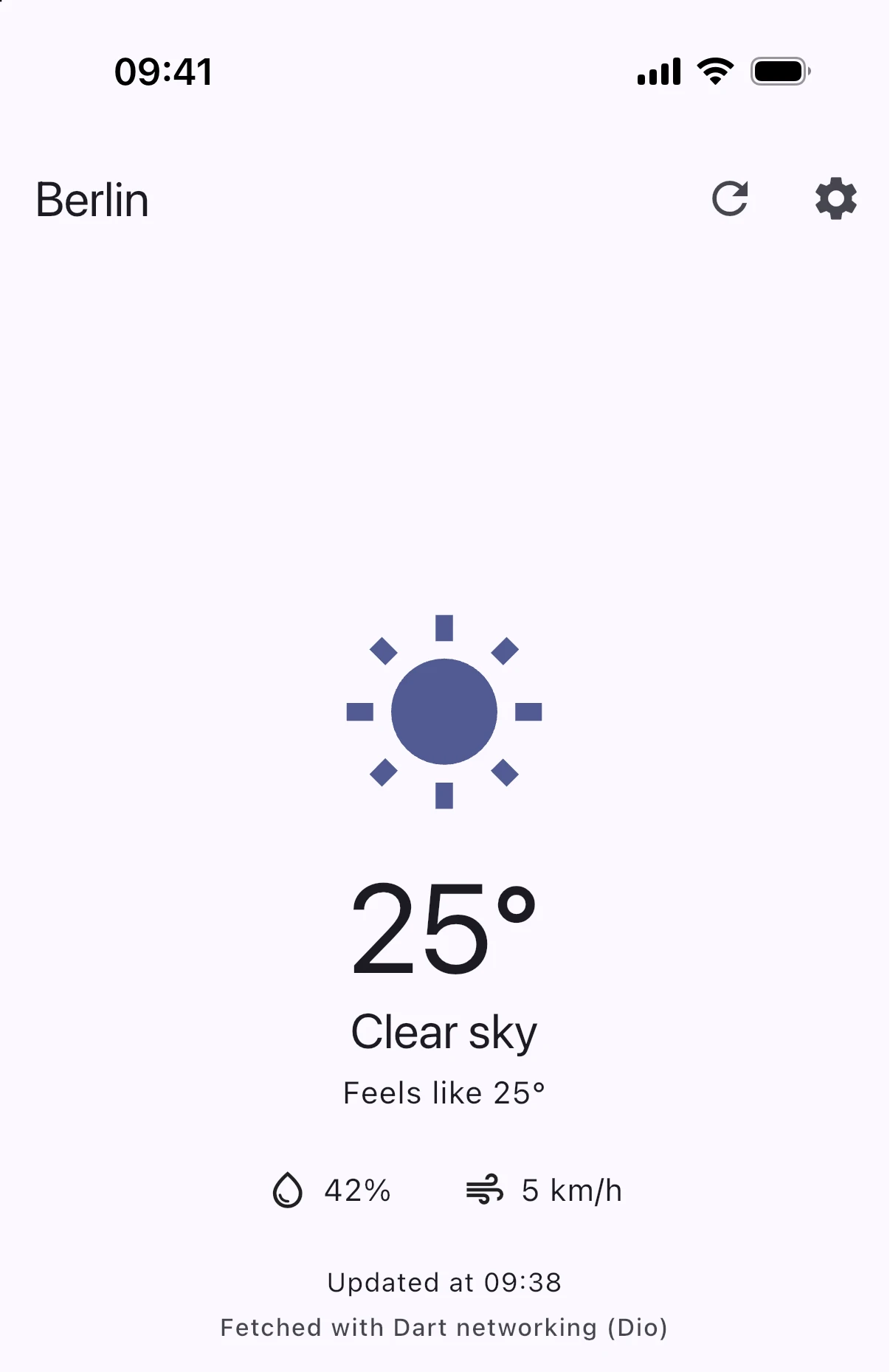
When no mock answered but one came close, the details say which one and the
field that ruled it out. A mock that waits for lon: 13.405 will not answer
lon=13.4, for example. That is usually the reason a mock that "should" work
does not.
When several mocks match
When more than one switched-on mock matches a request, the most specific one
answers. A mock that names a path and two query parameters beats one that
names only the path; /v1/users/42 beats /v1/users/*. File names and order
never matter.
Two mocks that are exactly as specific as each other are a conflict. Dartmole answers with neither, lets the request through to your backend, and marks both on the Mocks tab.
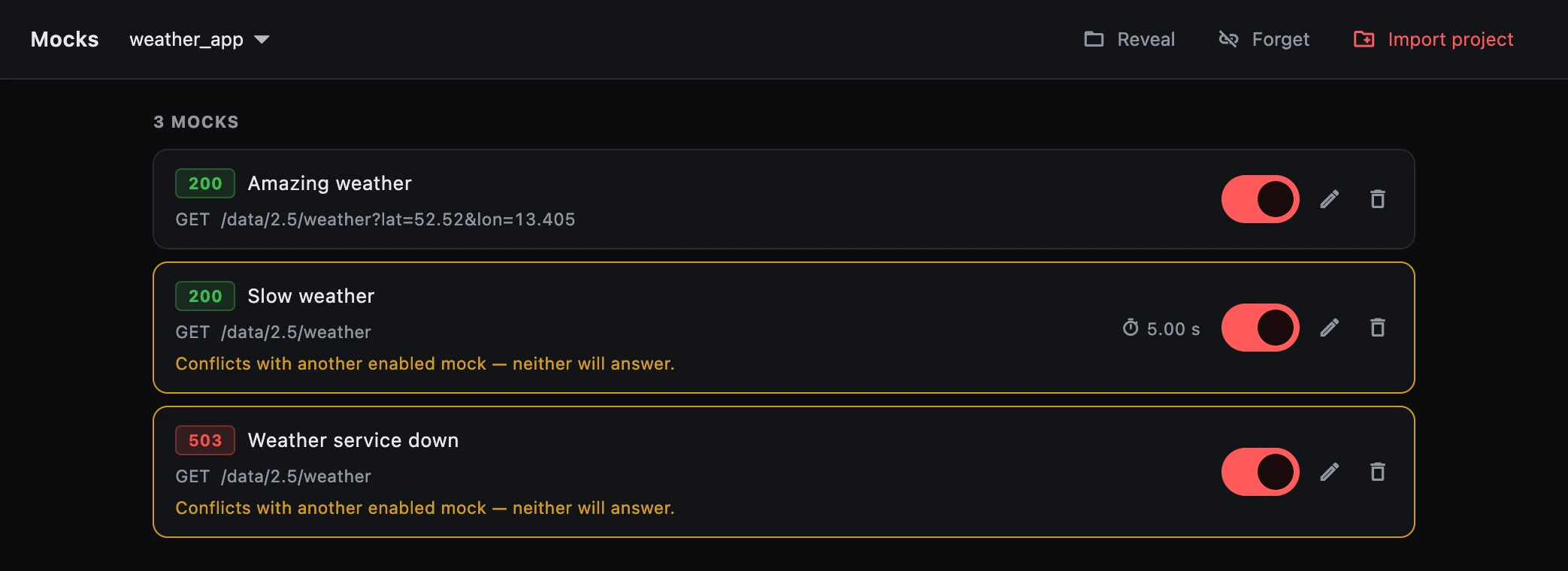
To fix a conflict, switch one of them off, or make one more specific.
Sharing mocks
Commit .dartmole/mocks/ like any other folder. A teammate who pulls gets
the mocks switched off, and switches on the ones they need. A mock that
reproduces a bug can go into the pull request that fixes it, so the reviewer
can see the bug for themselves.
What a mock file looks like
A rule in YAML, a line with ---, then the response as curl -i prints it:
# Five seconds of spinner, to see the loading state.
name: Slow weather
match:
  method: GET
  path: /data/2.5/weather
delayMs: 5000
---
HTTP 200
content-type: application/json

{"weather": [{"main": "Clouds", "description": "overcast clouds"}], "main": {"temp": 11.2}}
The mock file format covers matching, wildcards, query parameters, binary bodies and the errors Dartmole reports.